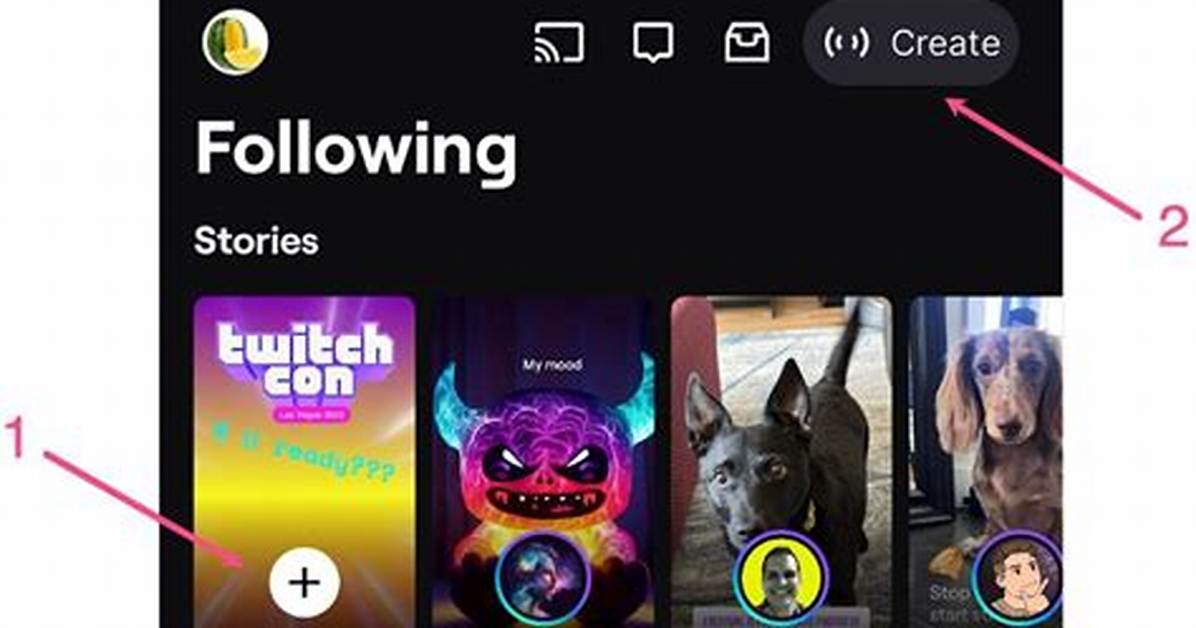
Posting a Twitch Story is simple. Ensure you have the latest version of the app installed, then follow these steps:
- Head to the Following Tab or enter Creator Mode.
- In the Following Tab, you can select the "+" icon to create a new Story.
- In Creator Mode, select the "Create" button and tap "+" to start a new Story.
- From here, you'll be able to use the editor to select video clips or photos you'd like to share.
- Once your content is selected, you'll be able to modify them in a variety of ways, such as adding text, adding channel emotes, or zooming in on the action.
That's it! Once the Twitch Story is ready for the world, you can finish editing and post it live.

